Clients in one place
Names, companies, emails, phones and notes — searchable, and yours alone.
Search by name or company, sort the list, export it as CSV.
ClientDesk keeps your clients, invoices, and payments in one private account — so you always know who owes you, what is overdue, and what you have actually been paid.
Free to start. New accounts include demo data you can explore or delete.
Names, companies, emails, phones and notes — searchable, and yours alone.
Search by name or company, sort the list, export it as CSV.
Invoice numbers, line items, discount and tax rates, due dates, and totals that add up the same way everywhere.
Line items or a single amount, invoice numbers, discount and tax rates, due dates — the breakdown shows on the invoice, the PDF, and the CSV.
Record what a client actually paid and when — not just a paid/unpaid toggle.
Part-payments, paid so far, remaining balance. An invoice flips to paid the moment payments cover it.
Download an invoice as a PDF, take your data as CSV, or bring a client list in.
One-page PDF per invoice, generated on the server. CSV exports for clients and invoices, including paid and balance columns — and CSV import for clients.
A monthly retainer becomes one invoice when its due date arrives.
Set a monthly retainer once; press Generate due now when it's due. Nothing is generated behind your back.
A dashboard that tells the truth about what you are owed.
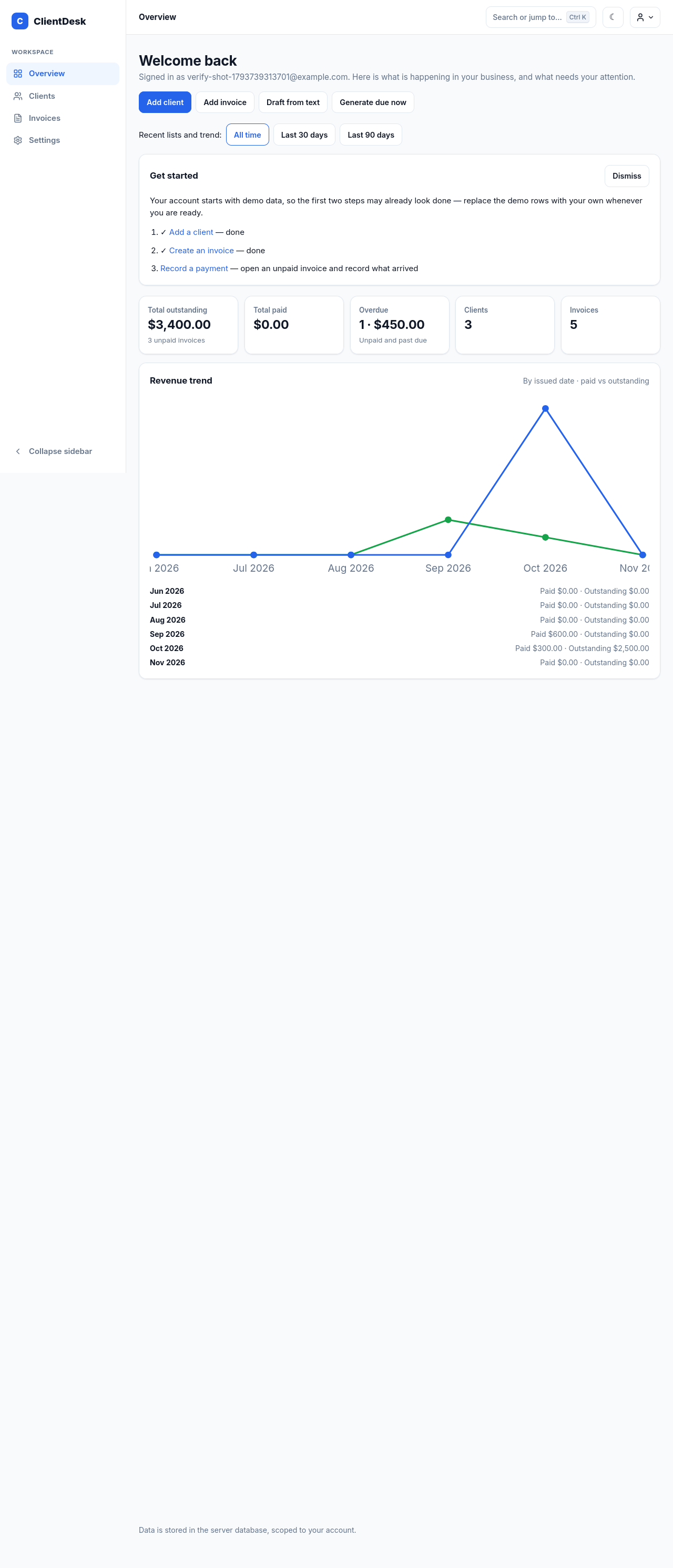
Outstanding, paid, overdue, last six months — plus this month's totals and largest outstanding balances. All computed from your real rows.
Charts and tables from your real invoices and payments.
Billed vs paid bars, an invoice-status donut, top clients, and a collection rate — with a 6 or 12 month range. Totals only, no forecasts.
Every payment in one place, with the invoice and client beside it.
Money received and balances still owed, All, Completed and Pending tabs, and a record-a-payment form on the page itself.
Drafts from plain text, confirmed by you before anything is saved.
Paste free text and get an editable invoice draft — amount, due date, and client pulled out by rules, never invented. Reminder drafts use your real figures.
Find anything fast, on desktop and on your phone.
Ctrl/Cmd+K searches real clients and invoices. Sort the lists, filter by due date or archive, and page through them.
Change the numbers and watch the total follow. This is the app's real invoice math — try the example it ships with: $200 at 10% off and 10% tax comes to $198.
Same math the app uses on every invoice — discount first, then tax on what's left.
$0
Demo data counts toward the limits — 3 demo clients and 5 demo invoices to start.
$9 / month
Billing isn't live yet — every account is on Free until it opens.
$19 / month
Team seats are not available yet — the price is a statement of intent, not a checkout.
Today the only difference between tiers is the limits. Pro and Business prices are planned prices, not live offers. See the full pricing page.
No. Signing up takes an email and a password, and billing isn't live, so nothing on this site can charge you.
10 clients and 30 invoices, with everything core included: payments and part-payments, PDFs, CSV exports, recurring invoices, and draft helpers. New accounts start with 3 demo clients and 5 demo invoices, which count toward those limits and can be deleted.
Yes. Every account sees only its own clients, invoices, and payments — demo data included. Nothing is shared between accounts.
Yes. Export your clients and invoices as CSV any time, and download any invoice as a one-page PDF.
Billing isn't live yet, so there is nothing to cancel today. When it opens, cancelling will keep your data readable and the free limits will apply again — cancelling deletes nothing.
Delete clients and invoices one by one, or use Reset demo data on the dashboard — careful, that wipes your own entries too and puts the demo ones back. To delete your whole account, email muhammadahmad.codes@gmail.com, as the terms page explains.
Not yet — no notifications and no password reset by email until an email service is connected. If you are signed in, you can change your password from Settings instead.
Create a free account, explore the demo data, and send your first real invoice. No credit card, no setup, nothing to install.